A connection without boundaries
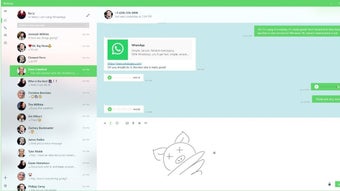
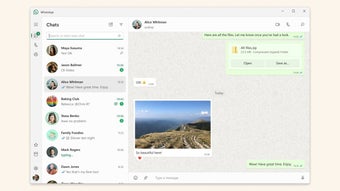
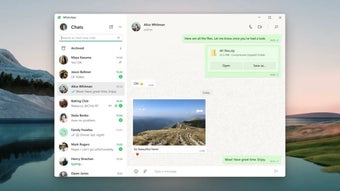
WhatsApp is a communication platform for mobile and desktop. It provides simple, reliable, and private messaging and calling for free, available all over the world. With private messaging and calling, you can be yourself, speak freely, and feel close to the most important people in your life no matter where they are.
Top Recommended Alternative

Personal and group communication
Never miss a moment with voice and video calls. From a group call to classmates to a quick call with your mom, you can feel like you’re in the same room with voice and video calls. With end-to-end encryption, your personal messages and calls are secured with a lock. Only you and the person you're talking to can read or listen to them, and no one else, not even WhatsApp. Staying in touch with your groups should feel effortless, with group calls now supporting up to 32 participants.
Express yourself with ease
You can express yourself without words, using stickers and GIFs or by sharing everyday moments on Status. For a quick hello or a longer story, you can record a voice message or send a video note up to 60 seconds long. For businesses, WhatsApp Business helps you reach customers globally to deliver compelling experiences at scale, and you can use it to showcase products, increase sales, and build relationships. While the main WhatsApp app doesn’t have a native scheduled messaging feature, the business version has an Away Message feature that allows you to set automated replies for a specific time or when you are away.
Innovative features on the horizon
WhatsApp is always working to keep billions of users in more than 180 countries connected. New features are being introduced, such as Writing Help, which is powered by AI and private processing, and Message Summaries, which quickly summarize unread messages in a chat using Meta AI. The platform is also announcing new features for group calls to make them easier to plan and more interactive.
Smarter messaging with AI-powered assistance
WhatsApp has recently expanded its functionality with several AI-powered communication tools designed to make conversations faster and more convenient. One of the most notable additions is Message Summaries, which uses Meta AI to generate short overviews of unread chats so users can quickly catch up on active conversations. The platform is also testing Writing Help, a feature that assists users in rewriting messages with different tones, making replies sound more professional, friendly, or concise while still maintaining privacy through secure processing systems.
Enhanced calling and group features
Group communication on WhatsApp continues to improve with updates focused on smoother and more interactive calling experiences. New features include speaker highlighting during group calls, improved audio clarity, and easier participant management for larger meetings and family conversations. WhatsApp has also enhanced screen-sharing performance and introduced more stable video calls across weaker internet connections, helping users stay connected even in areas with limited bandwidth. These refinements strengthen WhatsApp’s position as a reliable platform for both casual chats and remote collaboration.
Better multi-device and cross-platform support
WhatsApp’s multi-device functionality has become significantly more advanced in recent updates. Users can now stay logged in across multiple devices without requiring their phone to remain constantly online. This makes switching between desktops, tablets, and smartphones much smoother for users handling work and personal communication simultaneously. The Windows version has also received optimization updates that improve startup speed, notification syncing, and overall responsiveness compared to earlier desktop builds.
Channels and communities expand communication
Another major addition is the introduction of Channels and expanded Communities tools. Channels allow creators, organizations, and public figures to broadcast updates to large audiences without exposing personal contact information. Communities, meanwhile, help organize multiple related groups under one hub, making it easier for schools, workplaces, clubs, and local organizations to manage announcements and conversations efficiently. These newer features transform WhatsApp from a simple messaging platform into a broader communication ecosystem for both private and public engagement.
A modern messaging platform
WhatsApp continues to evolve beyond traditional messaging by combining secure communication, cross-platform convenience, and innovative collaboration tools into one accessible platform. Its expanding set of AI-powered features, stronger multi-device support, and enhanced group communication options make it increasingly versatile for personal, educational, and professional use. While certain advanced scheduling tools remain limited outside the business version, WhatsApp’s constant improvements help maintain its reputation as one of the world’s most dependable and widely used communication apps.
Your global communication hub
WhatsApp is the ultimate tool for effortless and secure communication with anyone, anywhere in the world. The platform's commitment to user privacy is evident through its end-to-end encryption, ensuring your conversations are for your eyes only. With a constant introduction of new features, it remains a robust and reliable way to stay connected.
WhatsApp supports match day communication during the FIFA World Cup 2026.
• Coordinate match day plans through whatsapp groups.
• Share results and reactions during the tournament.
• Connects fans across host cities.